RVA Studio
Author intent, not variants.
Studio is where a responsive master is created — semantic scene, topology authoring, constraints and regions, responsive preview, validation and export. Use the Viewer to open and inspect the result.
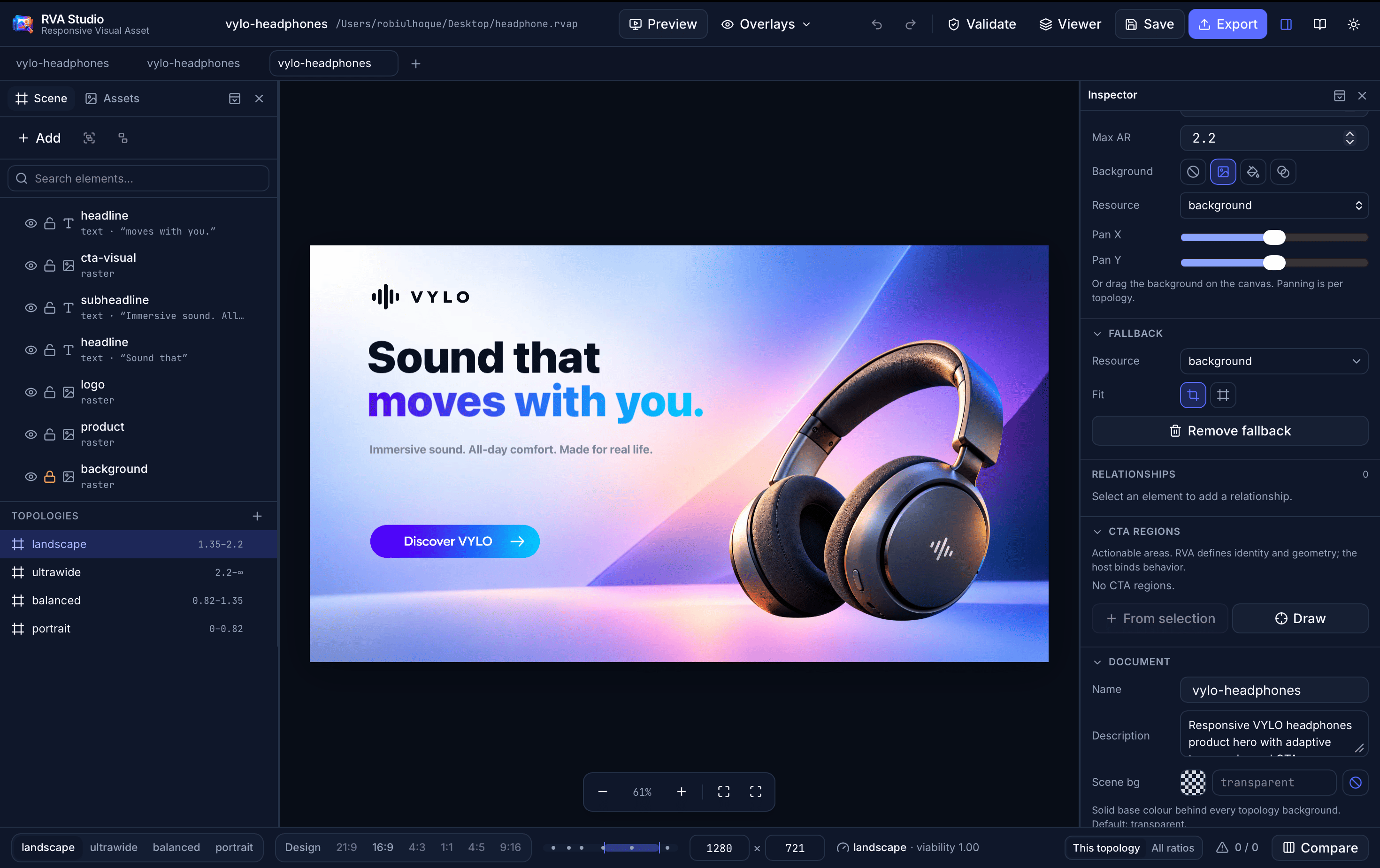
Scene & Assets
Semantic elements and imported resources, with roles and grouping.
Topology authoring
Author a composition per aspect-ratio range, side by side.
Constraints & regions
Gaps, alignment, containment, focal and protected regions.
Preview, validate, ship
Declared targets, cross-size validation, Save .rvap / Export .rva.
macOS · Apple silicon · 10.5 MB
.rvap — editable project.rva — distribution asset

- Inspect any .rva the moment it lands — no project or build step.
- Resize freely or jump between ratio presets; watch it recompose live.
- See the active topology and resolved CTA region count at a glance.
- Read-only by design: the viewer never invents actions or edits the asset.
macOS · Apple silicon · 7.9 MB